GB WhatsApp Privacy and Security Features
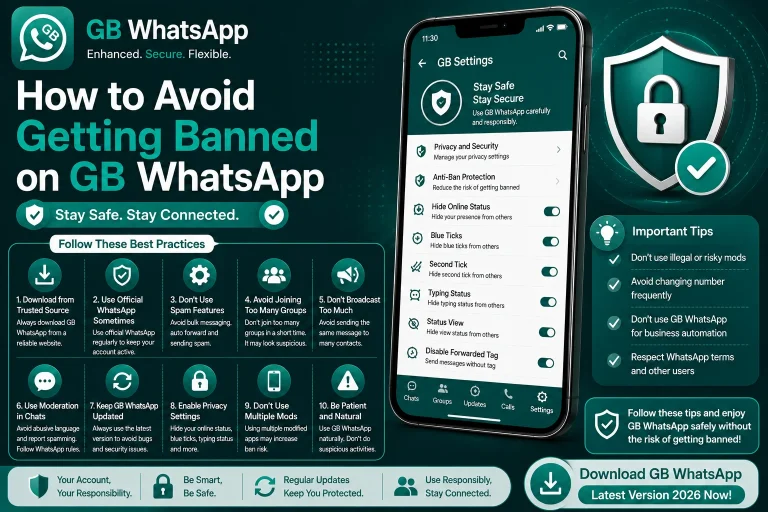
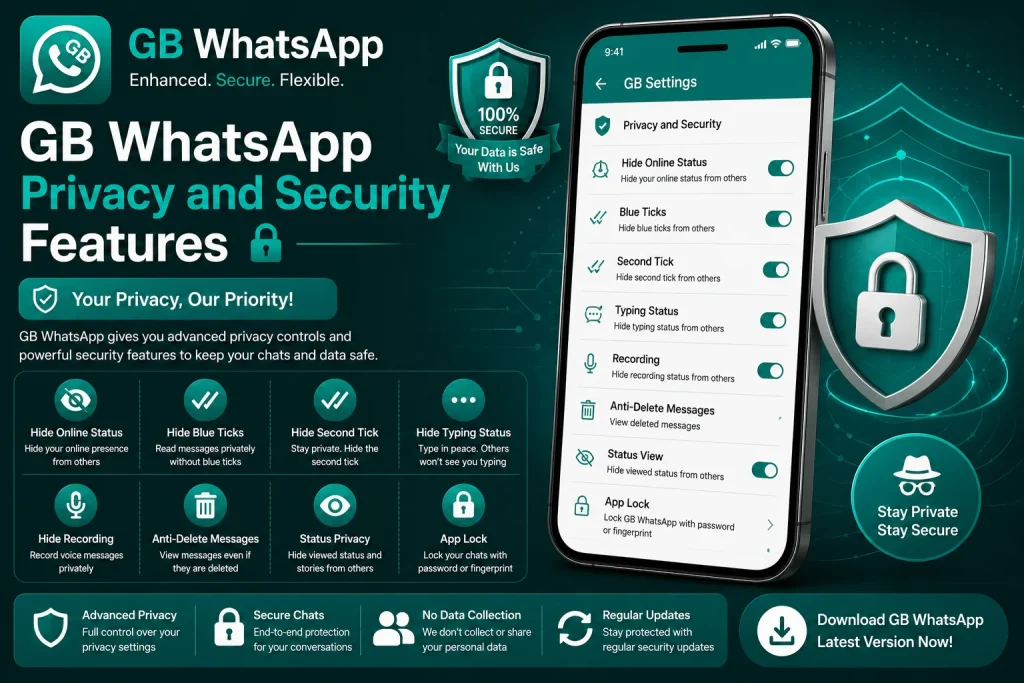
Privacy is the number one reason users switch to GB WhatsApp, and the modded app delivers a long list of features the official WhatsApp does not offer. From hiding blue ticks to locking individual chats, GB WhatsApp gives you granular control over how you appear, who can see your activity, and how your data is protected. This guide walks through the most important privacy and security features, how each one works, and the best practices for using them together.
Why GB WhatsApp Privacy Features Stand Out
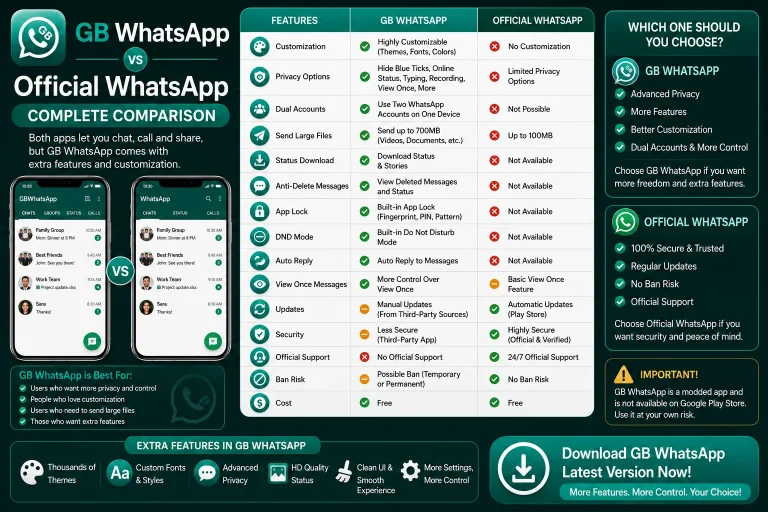
The official WhatsApp is built for the average user, which means most privacy settings are either missing or extremely basic. You can hide your last seen, turn off read receipts, and block contacts, but that is about it. GB WhatsApp takes a different approach by giving you fine-grained control over every signal the app sends, from typing indicators to status views.
The mod also includes active security features that the official app lacks, such as app lock, anti-revoke, and per-chat privacy overrides. Together, these tools make GB WhatsApp one of the most flexible messaging clients available on Android.
Privacy Features at a Glance
GB WhatsApp ships with dozens of privacy options. The table below groups the most useful ones by category so you can see what is available at a glance.
| Category | Features |
|---|---|
| Online presence | Hide online, hide last seen, freeze last seen |
| Read receipts | Hide blue ticks, hide second ticks, hide voice blue ticks |
| Typing and recording | Hide typing, hide recording audio, hide viewing status |
| Status privacy | Hide status from selected contacts, view statuses secretly |
| Chat privacy | Anti-revoke, anti-delete, lock individual chats |
| Account privacy | Hide profile photo from selected contacts, hide about text |
These features can be mixed and matched, which is what makes GB WhatsApp so popular with privacy-focused users.
Hiding Online Presence and Last Seen
Hiding your online status and last seen timestamp is the most basic privacy move, but GB WhatsApp goes further than the official app by letting you freeze your last seen at a specific time.
- Open GB WhatsApp and go to GB Settings.
- Tap Privacy and Security.
- Choose Online Status and set it to Hide for Everyone.
- Choose Last Seen and select Freeze Last Seen.
- Pick a custom timestamp you want to display.
- Restart the app to apply the changes.
After this setup, no one can tell when you were last online, and your last seen stays pinned to the frozen time even if you actively use the app.
Controlling Read Receipts and Typing Indicators
Blue ticks are the most controversial read receipt, and GB WhatsApp gives you full control over when they appear. You can also hide typing indicators, recording status, and even the second tick that confirms delivery to your phone.
- Open GB WhatsApp and go to GB Settings.
- Tap Privacy and Security, then Blue Ticks.
- Choose Hide for Everyone or build a custom contact list.
- Go back and tap Typing and Recording.
- Hide typing for private chats, group chats, or both.
- Hide recording audio indicator if you frequently send voice notes.
This combination lets you read messages in peace without alerting the sender that you have seen the chat.
Anti-Revoke and Anti-Delete Messages
Anti-revoke is one of GB WhatsApp’s signature features. It prevents senders from deleting messages after they have been delivered to your phone. Even if the sender taps Delete for Everyone, the message stays visible in your chat.
- Open GB WhatsApp and go to GB Settings.
- Tap Privacy and Security, then Anti-Revoke.
- Enable the toggle for messages, media, or both.
- Restart the app to apply the change.
This feature is useful for work chats where deleted messages can hide important instructions, and for personal chats where you want to keep a record of conversations.
Locking Individual Chats With Password or Fingerprint
App-level locks are common, but GB WhatsApp goes further by letting you lock individual chats with a password, PIN, or fingerprint. This is perfect for users who share their phone with family members or want an extra layer of security on sensitive conversations.
- Open the chat you want to lock.
- Tap the contact or group name at the top.
- Scroll down and tap Lock Chat.
- Choose a PIN, pattern, or fingerprint option.
- Confirm the lock and exit the chat.
Once locked, the chat will require authentication every time it is opened, even if your phone is already unlocked.
Hiding Status Views and Watching Statuses Secretly
Status privacy works both ways in GB WhatsApp. You can hide your own status views from selected contacts, and you can also watch other people’s statuses without appearing in their viewer list.
- Open GB WhatsApp and go to GB Settings.
- Tap Privacy and Security, then Status Privacy.
- Hide your status views from selected contacts.
- Enable View Status Secretly to watch updates anonymously.
- Restart the app to apply the changes.
This is a popular feature for users who want to keep up with contacts without revealing that they viewed the update.
App Lock and Two-Step Verification
Beyond chat-level locks, GB WhatsApp includes a full app lock that requires authentication every time the app is opened. You can also enable two-step verification for an extra layer of account security.
- Open GB WhatsApp and go to GB Settings.
- Tap Privacy and Security, then App Lock.
- Choose PIN, pattern, or fingerprint.
- Set the auto-lock timer to five seconds, one minute, or longer.
- Enable Two-Step Verification and set a six-digit PIN.
- Add a recovery email in case you forget the PIN.
These two features combined make GB WhatsApp one of the most secure modded clients on Android.
Best Practices for Maximum Privacy
A few habits will make your privacy setup more reliable and prevent accidental leaks.
- Combine hide online, hide blue ticks, and freeze last seen for full stealth.
- Use per-chat locks for sensitive conversations.
- Enable anti-revoke to keep deleted messages visible.
- Review your privacy list every few weeks to remove outdated contacts.
- Avoid sharing screenshots that show your hidden activity.
- Keep GB WhatsApp updated to maintain the latest privacy modules.
Following these habits ensures you stay in control of your data, your activity, and your visibility on the platform.
FAQs About GB WhatsApp Privacy and Security Features
Is GB WhatsApp more private than the official WhatsApp?
Yes, GB WhatsApp offers more privacy toggles than the official WhatsApp, including hidden online status, blue tick control, anti-revoke, and per-chat locks. However, the official app has verified end-to-end encryption, while GB WhatsApp’s encryption is unverified because the source code is closed.
What is anti-revoke and how does it work?
Anti-revoke is a feature that prevents senders from deleting messages after they have been delivered to your phone. Even if the sender taps Delete for Everyone, the message stays visible inside your chat. It works for text messages, media, and voice notes depending on the version.
Can I lock individual chats inside GB WhatsApp?
Yes, GB WhatsApp lets you lock individual chats with a PIN, pattern, or fingerprint. Open the chat, tap the contact name, and choose Lock Chat. The chat will require authentication every time it is opened, even if your phone is already unlocked.
Can I watch statuses without the sender knowing?
Yes, GB WhatsApp includes a View Status Secretly feature that lets you watch status updates without appearing in the viewer’s list. The sender will not see your name in the viewers, but the status will still load fully on your phone.
Does GB WhatsApp support two-step verification?
Yes, GB WhatsApp supports two-step verification. You can enable it from the Privacy and Security menu by setting a six-digit PIN and adding a recovery email. This adds an extra layer of account security on top of the standard SMS verification.